
Coworkers
Profiles, account settings, people directory, social features, and gigs for coworkers.
The Coworkers section covers creating and managing your Coworkies profile, browsing the people directory, using social features (following, feed, P2P messaging), posting gigs, and changing your coworking space.
Account Overview
The Coworkies platform is designed to serve coworkers. People working out of coworking spaces can create a professional profile to promote their work, seek other professionals, or find jobs/gigs.
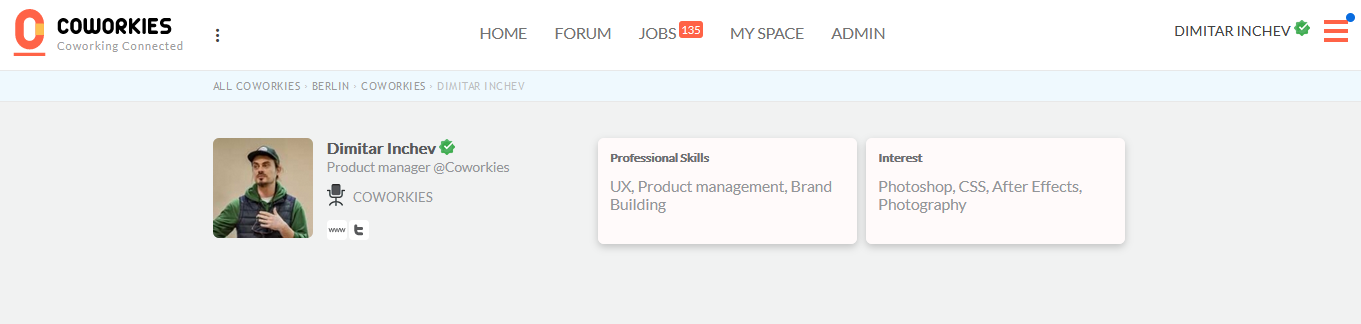
Profiles on Coworkies are simple yet informative. Users can add their hobbies and professional skills, along with the primary social networks where their work can be viewed.
Related docs
- Create an Account - Set up your profile
- People Directory - Browse and connect with coworkers
- Getting Started - Coworker journey guide
Guides in this section
Select a guide below to continue
How do I create a Coworkies account?
Create your Coworkies account in three steps: fill the signup form, choose your city, and select your coworking space. …
How do I manage my Coworkies account settings?
Update profile info, preferences, and account details from the settings page.
How do I change my coworking space on Coworkies?
Switch or manage your coworking space from My Settings → Workspace.
How does P2P messaging work on Coworkies?
Exchange messages with coworkers who follow you. Access Messages from the profile menu.
People Directory
Browse and search for coworkers on Coworkies. Discover professionals, connect with your community, and build your …
How do I post a gig on Coworkies?
Post short-term gigs or listings to promote your work or seek collaboration.
What social features does Coworkies offer?
Following, feed posts, P2P messaging, and social links to build your coworking network.