Create a free Coworkies account in three steps. You need an email address and a username. The signup process takes less than 2 minutes.
Steps
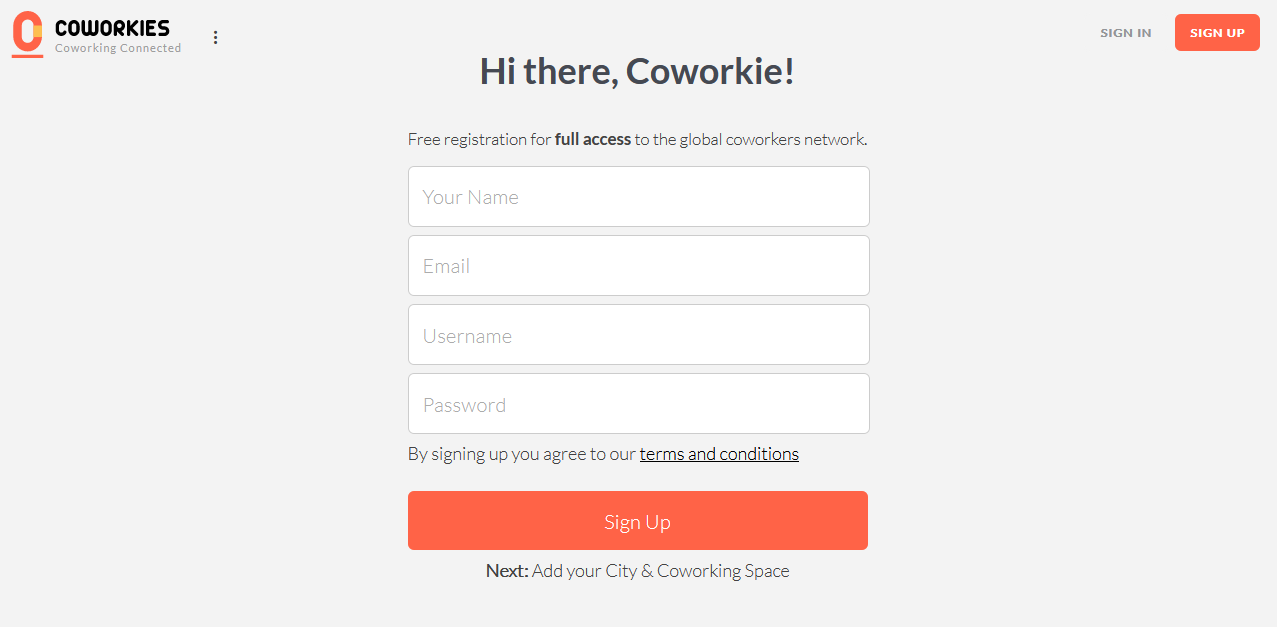
1. Fill out the signup form
Go to coworkies.com and click “Sign Up.” Enter your email and choose a username. You will receive an activation email.
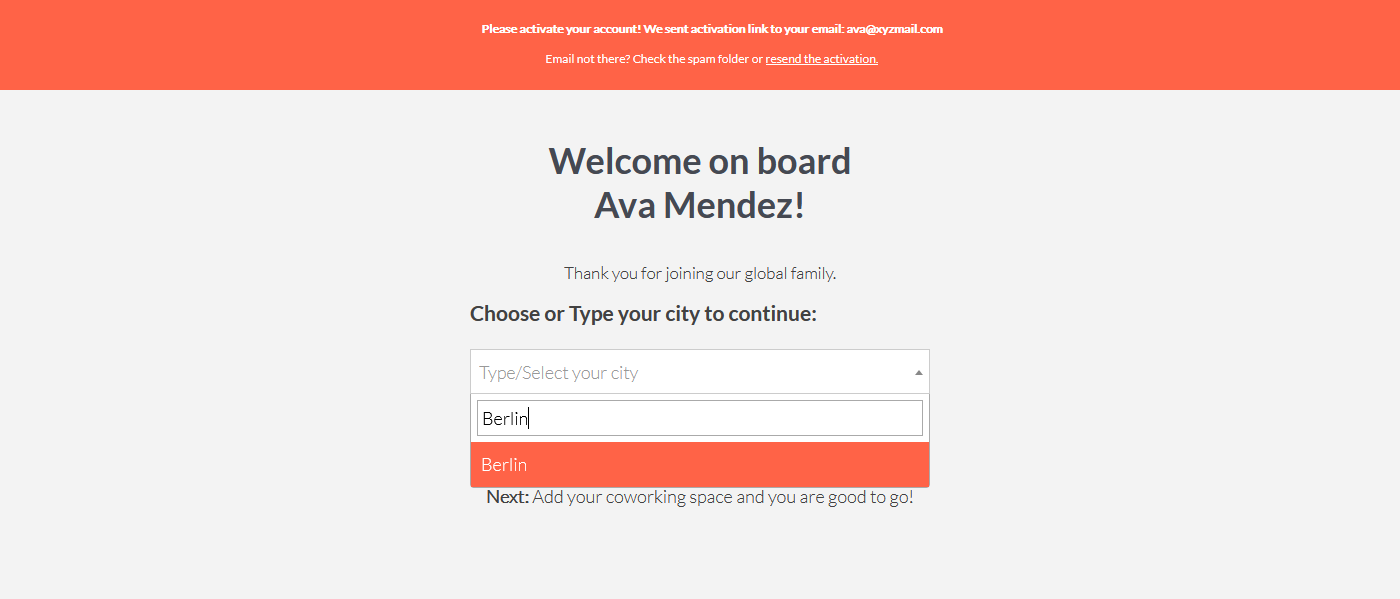
2. Choose your city
Select your city from the dropdown list. If your city is not available, type it in and select it. The system will automatically add it.
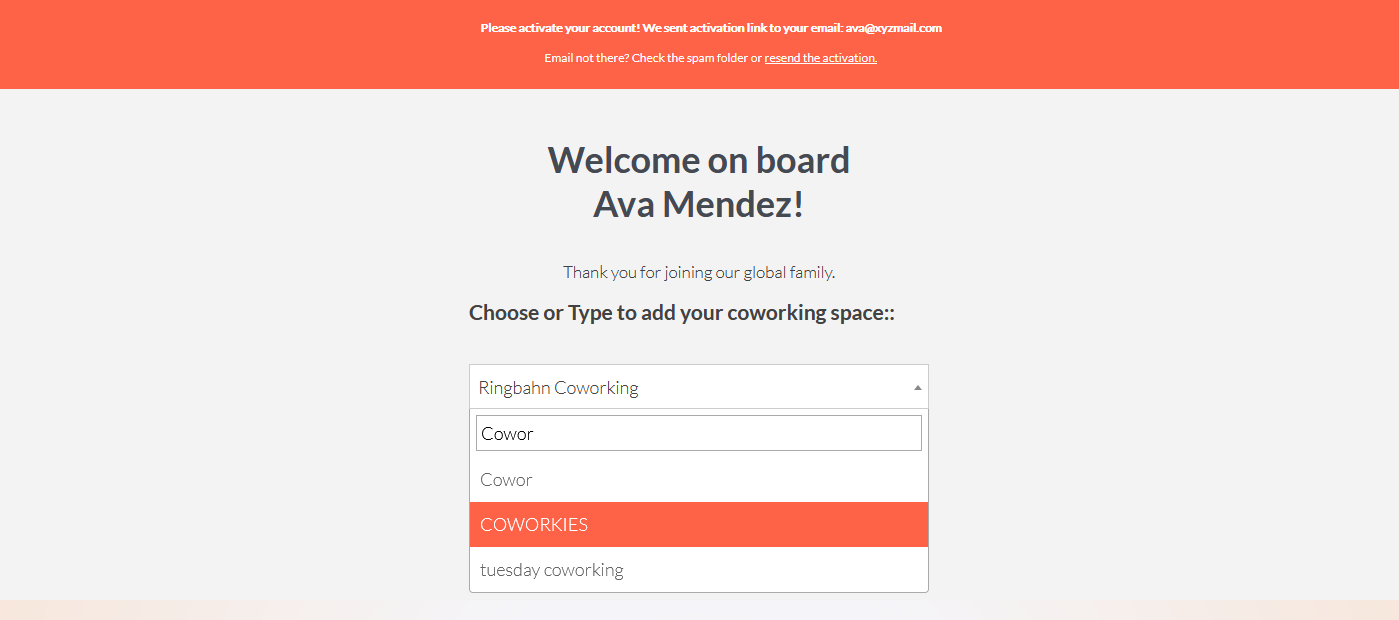
3. Select your coworking space
Choose your coworking space from the list. If your space is not listed, type the name and select it. Note: selecting a coworking space is required for full account activation.
Complete your profile
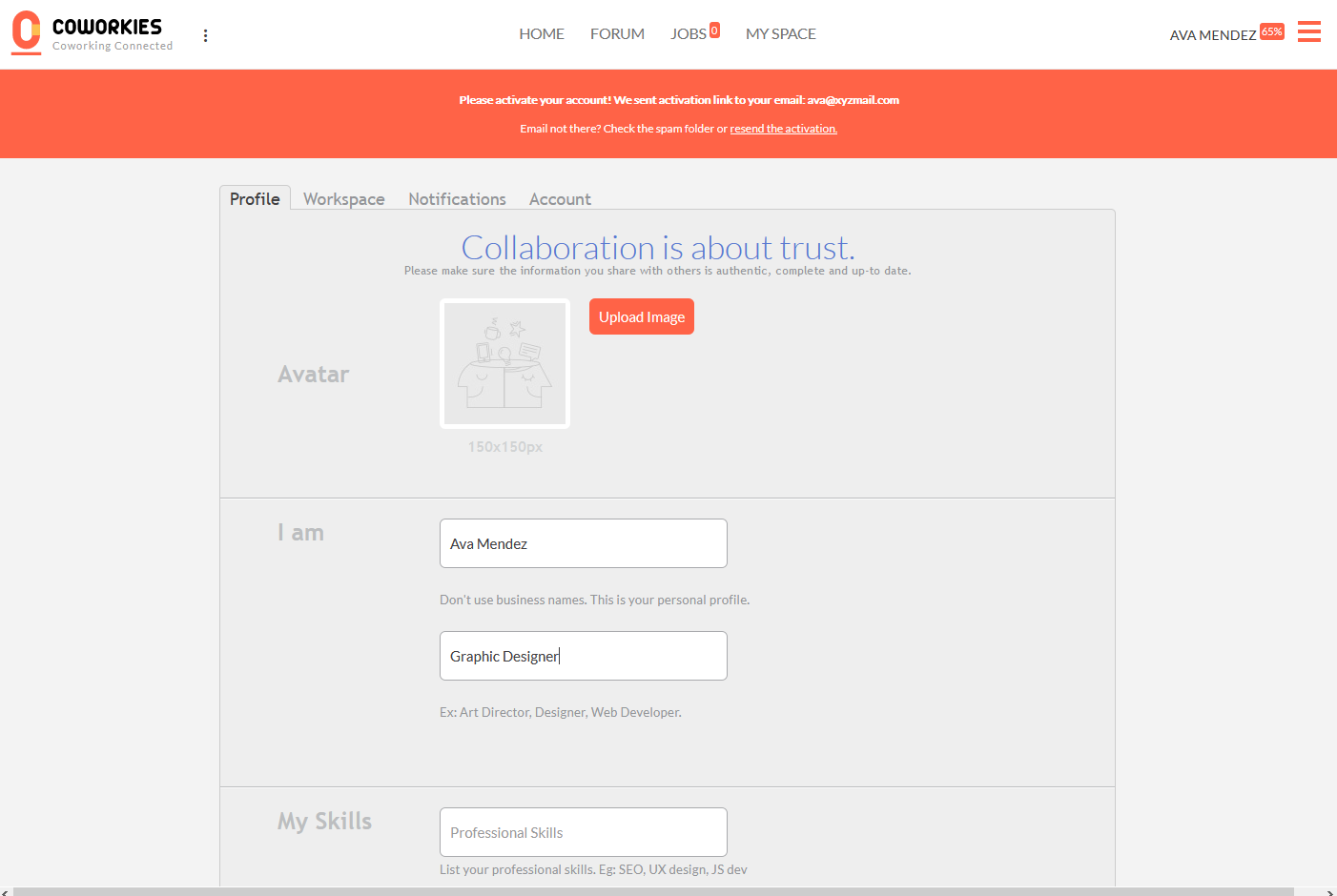
After signup, you’ll be redirected to your account settings. Fill in your professional profile to make yourself discoverable:
- Photo – Add a professional photo
- Occupation – Your job title or profession
- Short description – Brief bio about you
- Skills – Professional and casual skills
- Social links – Links to your online profiles
Troubleshooting
“The system detected misbehavior, please reload the page!”
Coworkies uses Google ReCAPTCHA to prevent spam. If you see this message, reload the page and try again. If the problem persists, try a different browser or disable browser extensions that may interfere with ReCAPTCHA.
Related docs
- Account Settings – Manage your profile
- Getting Started: Coworker Journey – Full onboarding guide
- People Directory – Browse other coworkers