
Check the space Activity Log
Review recorded profile and team changes with their date, actor and details to understand what changed.
Activity Log shows recorded changes for the space you are managing. It helps explain a profile update or role change.
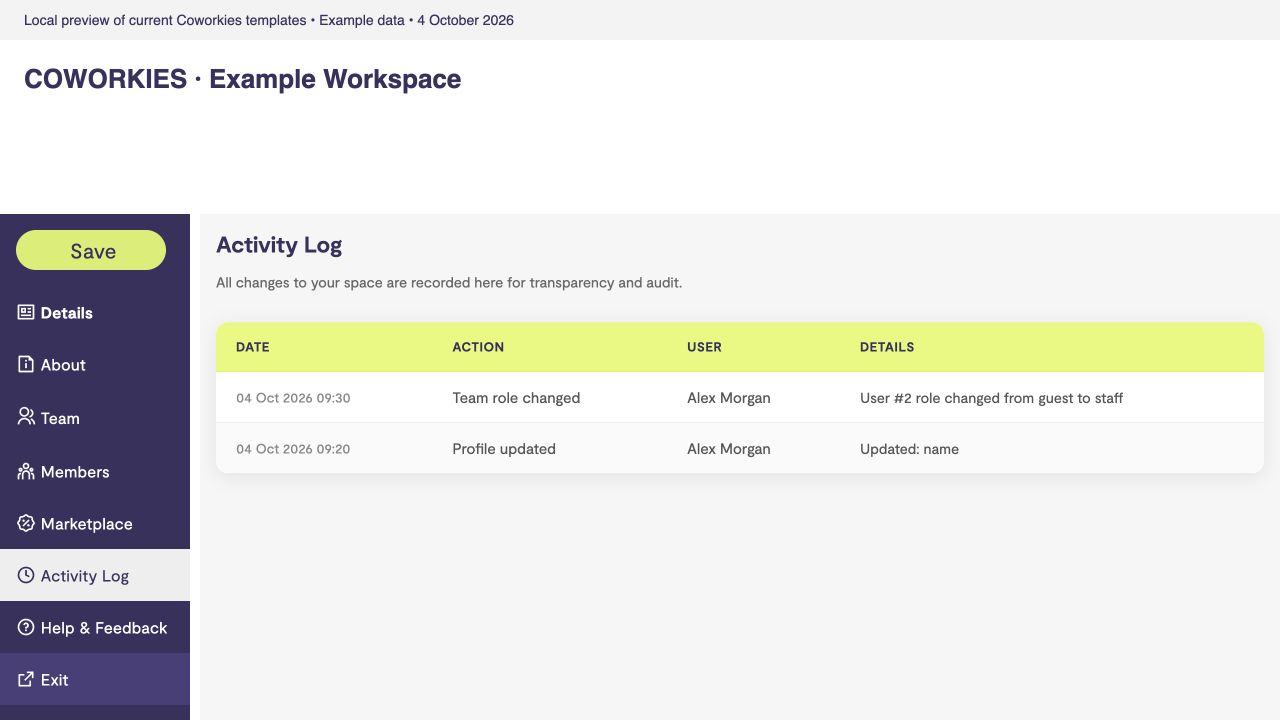 Current platform template rendered locally with example data, 4 October 2026.
Read the log
- Open Space Admin for the correct space.
- Select Activity Log.
- Look at Date, Action, User and Details for the relevant entry.
A profile update can show changed fields such as name or logo. A team role change can show the person’s identifier and previous/new relationship. System actions may show System as the user.
The log is a record, not an undo control. Its presence does not guarantee that every historical action was captured. If it says No activity recorded yet, no entries are available for this space.
If you do not recognize a change, check team access and contact support with the space name and entry date. Avoid including API keys or other secrets in your report.