Space Plans Overview
Coworkies offers different membership plans for coworking spaces, each with varying levels of features and benefits. Understanding the differences between plans helps you choose the right option for your space’s needs.
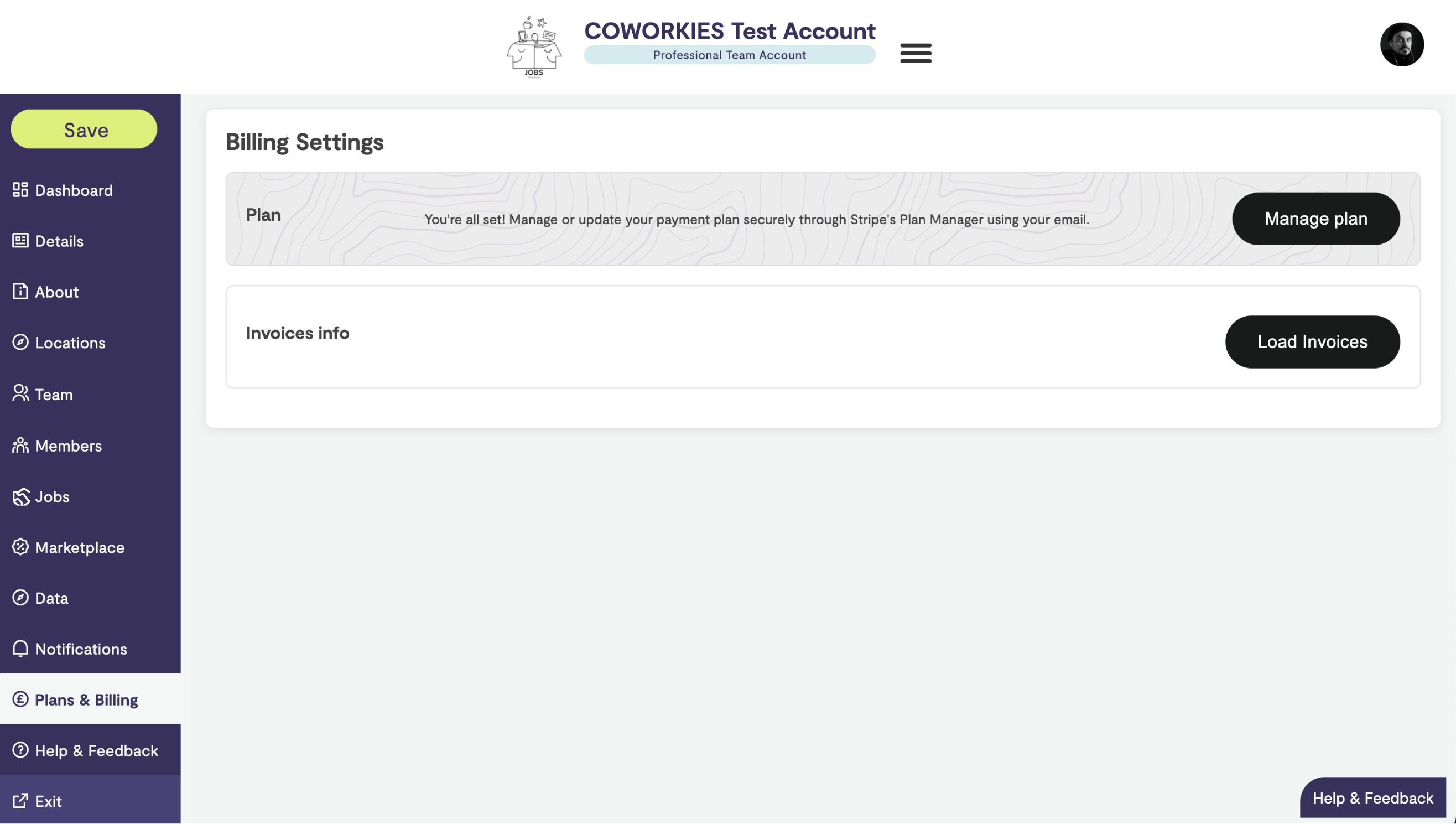
Plan Types
Free Plan
The Free plan provides essential features for managing your space on Coworkies:
Included Features
- Space Profile - Create and manage your space listing
- Job Board - Post unlimited free job listings
- Basic Dashboard - Overview of your space activity
- Member Management - Manage your community members
- Team Management - Add team members with admin access
- Marketplace Access - Browse available deals and services
- Total Clicks - See total clicks across all your job posts
Limitations
- No detailed per-job analytics
- Limited analytics features
- No advanced member communication tools
- Standard support
Pro Plan
The Pro plan unlocks advanced features and analytics:
Additional Features
- Detailed Analytics - Clicks per individual job post
- Advanced Metrics - Performance breakdowns and insights
- Data Analytics - Map-based analytics and market insights
- Verified Member Benefits - Send deals, messages, and newsletters to verified members
- Priority Support - Enhanced support options
- All Premium Features - Access to all advanced tools
Pro Benefits
- Better Insights - Understand which jobs perform best
- Targeted Communication - Engage with verified members
- Market Intelligence - Access to comprehensive analytics
- Professional Tools - Advanced features for growing spaces
Upgrading to Pro
How to Upgrade
- Navigate to your space admin panel
- Click “Plans & Billing” in the left navigation menu
- Review the Pro plan features and pricing
- Click “Upgrade to Pro” or “Subscribe”
- Complete the payment process
Payment Methods
Coworkies uses Stripe for secure payments:
- Credit Cards - All major credit cards accepted
- Secure Processing - PCI-compliant payment handling
- Automatic Billing - Recurring subscription management
- Invoice Generation - Automatic invoice creation
Billing Cycle
Pro plans are typically billed:
- Monthly - Recurring monthly subscription
- Annual - Annual subscription (may include discounts)
Check the Plans & Billing section for current pricing and billing options.
Feature Comparison
Dashboard Features
| Feature | Free | Pro |
|---|---|---|
| Total Clicks | ✅ | ✅ |
| Clicks Per Job | ❌ | ✅ |
| Quick Actions | ✅ | ✅ |
| Job Management | ✅ | ✅ |
Analytics Features
| Feature | Free | Pro |
|---|---|---|
| Basic Metrics | ✅ | ✅ |
| Detailed Analytics | ❌ | ✅ |
| Data Analytics Map | ❌ | ✅ |
| Market Insights | ❌ | ✅ |
Member Features
| Feature | Free | Pro |
|---|---|---|
| Member Management | ✅ | ✅ |
| Verified Members | ✅ | ✅ |
| Send Deals | ❌ | ✅ |
| Send Messages | ❌ | ✅ |
| Newsletters | ❌ | ✅ |
Support
| Feature | Free | Pro |
|---|---|---|
| Standard Support | ✅ | ✅ |
| Priority Support | ❌ | ✅ |
| Response Time | Standard | Priority |
Understanding Blurred Features
When using the Free plan, you may see some features displayed with a blurred effect. These are Pro features that you can unlock by upgrading:
Common Blurred Features
- Clicks Per Job Post - Detailed analytics for individual jobs
- Advanced Analytics - Comprehensive performance metrics
- Data Analytics - Map-based market insights
Unlocking Blurred Features
To unlock blurred features:
- Click the “Upgrade to Pro” button
- Review Pro plan benefits
- Complete the upgrade process
- Features will be immediately available
Managing Your Subscription
Viewing Your Plan
To see your current plan:
- Navigate to “Plans & Billing” in your admin panel
- Your current plan status is displayed
- View subscription details and billing history
Updating Billing Information
To update payment methods:
- Go to “Plans & Billing”
- Click “Update Payment Method” or “Manage Subscription”
- Enter new payment information
- Save changes
Canceling Subscription
If you need to cancel:
- Navigate to “Plans & Billing”
- Find the cancellation option
- Follow the cancellation process
- Your plan will remain active until the end of the billing period
Note: Canceling your subscription will downgrade to Free plan features at the end of your billing period.
Billing & Invoicing
Automatic Invoicing
- Invoices are automatically generated after each payment
- Invoices are sent to the email address on file
- All invoices are available in your billing history
Viewing Invoices
- Navigate to “Plans & Billing”
- Click “Load Invoices” or “Billing History”
- View and download invoices as needed
For more information, see our Billing & Invoicing guide.
Choosing the Right Plan
Free Plan is Best For
- New spaces just getting started
- Spaces with limited job posting needs
- Spaces that don’t need advanced analytics
- Testing the platform before committing
Pro Plan is Best For
- Growing spaces with active job boards
- Spaces wanting detailed performance insights
- Spaces that want to engage with verified members
- Spaces needing advanced analytics and market intelligence
Frequently Asked Questions
Can I switch plans?
Yes, you can upgrade to Pro at any time. Downgrading to Free occurs at the end of your billing period if you cancel.
What happens when I upgrade?
Pro features are immediately available after payment confirmation. You’ll have access to all Pro features right away.
What happens when I downgrade?
At the end of your billing period, Pro features will be locked and you’ll return to Free plan features. Your data is preserved.
Can I try Pro before paying?
Contact support to discuss trial options or special promotions that may be available.
Related docs
- Pro Plans Comparison – Feature comparison
- Billing – Payments and invoices